SummaryNote vs Otter
Both turn conversations into notes. Otter is built around live meetings and teams; SummaryNote is built around studying and reusing what you recorded, uploaded or watched.
First complete note freeNo card needed
Free: audio or video up to 3 hours per file. Pro: up to 5 hours. Max file 500 MB.
Facts as of November 23, 2026. Written by the SummaryNote team; we make one of these products. See sources.

 SummaryNote in brief
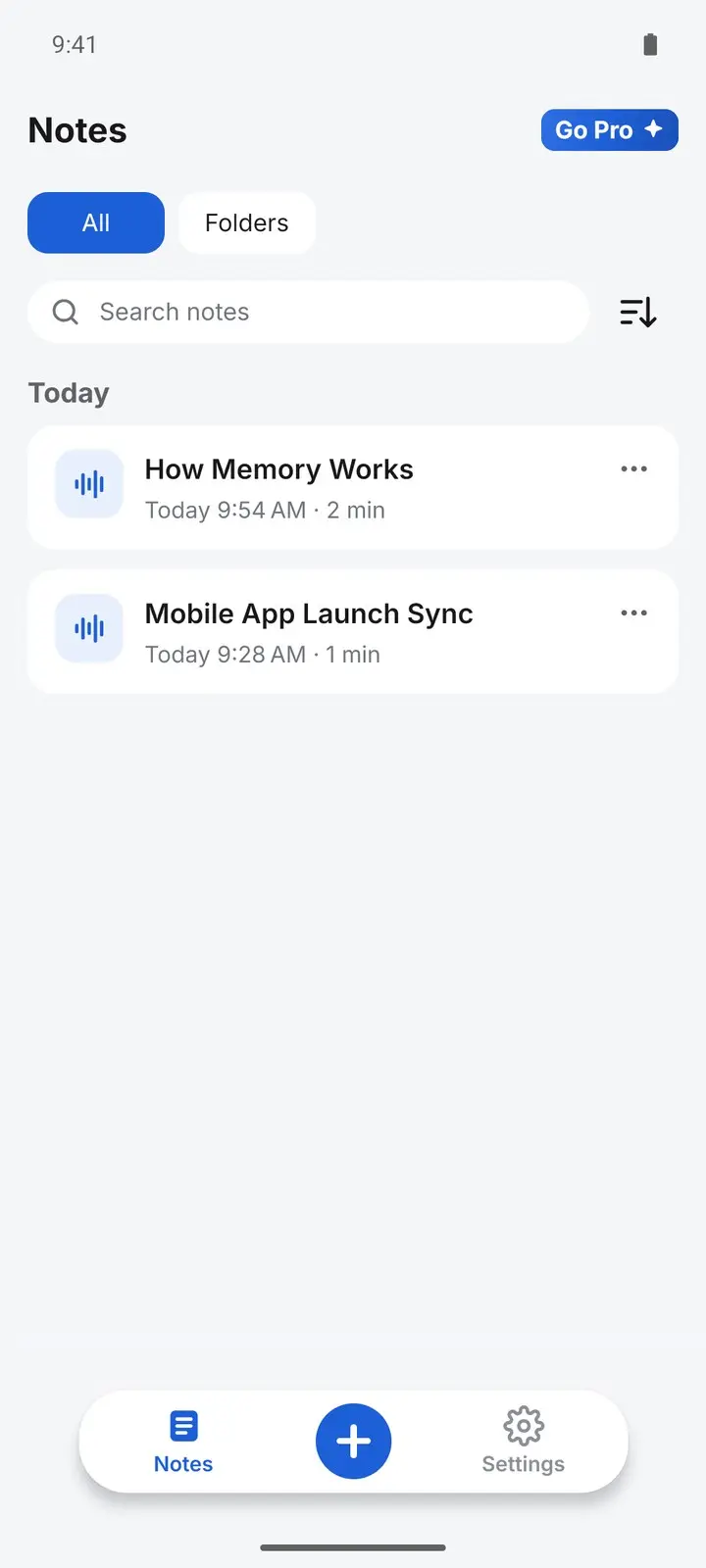
- Android app and web app
- First complete note free, then Pro weekly or annual, through Google Play
- Flashcards and quizzes from every note
- Ask with sources, exports free on every plan
- Paste a Google Meet or Microsoft Teams link to send a notetaker (Pro, Android only)
- No iPhone app, no Zoom notetaker, no team workspaces
Otter in brief
- Web (browser recording), iPhone and Android apps, desktop app for Mac and Windows, Chrome extension
- Basic: 300 transcription minutes a month, up to 30 minutes per conversation, 3 audio/video file imports in total (lifetime)
- Pro, Business and Enterprise
- Joins Zoom, Microsoft Teams and Google Meet
- Yes: workspaces (Basic and Pro up to 5 members, Business 25, Enterprise unlimited) and Channels
Feature comparison
Sources are listed at the end of this page. Competitor details change often; check their site before you decide.
| Feature | SummaryNote | Otter | Source |
|---|---|---|---|
| Platforms | Android app; web app in any browser. No iPhone app. | Web (browser recording), iPhone and Android apps, desktop app for Mac and Windows, Chrome extension | [S1] [S2] [O2] |
| Free plan | First complete note free, no card | Basic: 300 transcription minutes a month, up to 30 minutes per conversation, 3 audio/video file imports in total (lifetime) | [S1] [S2] [O1] |
| Paid plans | Pro, weekly or annual, through Google Play | Pro, Business and Enterprise | [S1] [S2] [O1] |
| Meeting notetaker | Paste a Google Meet or Microsoft Teams link (Pro, Android only). No Zoom, no calendar connection. | Joins Zoom, Microsoft Teams and Google Meet | [S1] [S2] [O1] [O2] |
| Upload audio and video | Audio on web and Android; video on Android | Basic: 3 lifetime imports; Pro: 10 imports a month; Business and Enterprise: unlimited imports with a 6,000-minute monthly cap per user | [S1] [S2] [O1] |
| YouTube links | Yes, in the Android app (videos with captions) | Not mentioned on Otter's home or pricing page | [S1] [S2] [O1] [O2] |
| PDFs and documents | PDF up to 300 pages and 20 MB, DOCX, TXT, Markdown | Not mentioned on Otter's home or pricing page | [S1] [S2] [O1] [O2] |
| Flashcards and quizzes | Yes, made from each note | Not mentioned on Otter's home or pricing page | [S1] [S2] [O1] [O2] |
| Ask questions | Yes, answers show their sources | Otter AI Chat answers questions across your meetings | [S1] [S2] [O2] |
| Languages | 12 summary languages for uploads and YouTube | English, Spanish, French, German, Japanese and Chinese | [S1] [S2] [O1] |
| Exports | PDF, DOCX, Markdown, TXT, SRT, VTT on every plan | Basic: MP3 and TXT; Pro and above: MP3, TXT, PDF, DOCX and SRT | [S1] [S2] [O1] |
| Team workspaces | No; notes are personal, shareable by link | Yes: workspaces (Basic and Pro up to 5 members, Business 25, Enterprise unlimited) and Channels | [S1] [S2] [O1] [O2] |
Which one should you pick?

- Learn from lectures, videos and PDFs and want flashcards and quizzes
- Use Android, or want a browser app on any computer
- Want summaries of YouTube videos or documents
- Need exports on a free account

- Need a notetaker in Zoom meetings
- Work on an iPhone and want a native app
- Need shared workspaces for a team
- Work in live team meetings
Moving from Otter to SummaryNote
- Export what you need from OtterBasic exports include MP3 and TXT; Pro and above also include PDF, DOCX and SRT. [O1]
- Upload audio to get full notesUploading the original audio gives you a fresh transcript, summary, flashcards and quiz.
- Upload transcripts as documentsA TXT or DOCX transcript becomes a note you can summarize, ask questions about and study from.
- Send the notetaker to your next meetingOn Android with Pro, paste a Google Meet or Microsoft Teams link. For Zoom, upload a recording of the meeting afterwards.
Questions, answered
About this comparison.
Is SummaryNote an Otter alternative?
For lectures, study and personal notes, yes. For teams that use Zoom and need shared workspaces, Otter is the closer fit.
Is SummaryNote free?
Your first complete note is free with no card, including every export. Pro is weekly or annual, through Google Play.
Does SummaryNote work with Zoom?
No. The notetaker joins Google Meet and Microsoft Teams meetings when you paste the link (Pro, Android). For Zoom, upload a recording of the meeting afterwards.
Is there a SummaryNote app for iPhone?
No. On an iPhone you can use the web app in Safari to record or upload audio and read your notes.
How did you check these facts?
SummaryNote facts come from our product records. Otter facts come from Otter’s pricing and home pages on the date shown. Email contact@summarynote.app if something is out of date.
Sources
- [O1] Otter pricing page, accessed November 23, 2026.
- [O2] Otter home page, accessed November 23, 2026.
- [S1] SummaryNote pricing.
- [S2] SummaryNote on Google Play.
Try SummaryNote with your own recording
Your first complete note is free. Compare it with what you use today.